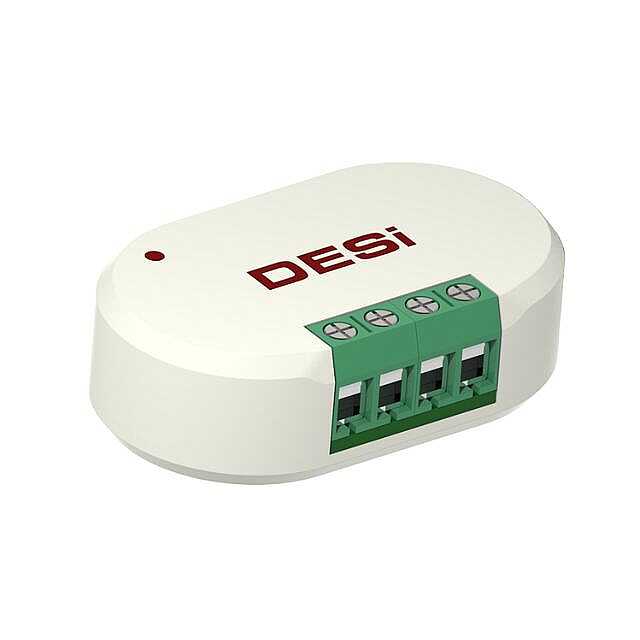


DESi Smart Home Automation Interface
Smart Home Automation Interface V2HAI V2 · for Utopic R / R-OK / 3
An interface module that lets your home automation system control your DESi Utopic smart lock. A trigger from your panel sends the unlock or lock command straight to the door.


Connect your automation system to your smart lock.
The HAI V2 module allows your home automation system to control your DESi Utopic smart lock. A trigger signal from your panel passes the unlock or lock command to the lock.
The T1 and T2 cables are not supplied with the package.
How do you pair the module?
Pairing is done from a smartphone registered as an authorised user, using the DESi Utopic app.
Open the app and connect to the lock
On the smartphone registered as an authorised user, open the DESi Utopic app and connect to the smart lock.
Add a new controller
Tap the settings button, then open the “Users” tab at the bottom. Tap the “Add New Controller” row, then tap the green plus icon.
Touch the cables together
The lock sounds one long beep followed by a short one. After the short beep, touch the negative (−) and T1 cables together for 2–3 seconds, then separate them. You can repeat this once or twice.
Pairing complete
If pairing was successful, the smart lock sounds a sequence of beeps.
Smart home automation interface specifications

Electrical
- Power: 5–12 V DC
- Instantaneous draw: 30 mA (maximum)
- Operating temperature: 0°C to +40°C
- Control range: up to 15 metres (varies with the environment)

Setup and Use
- Smart lock control from a home automation system
- Controller pairing through the DESi Utopic app
- T1 and T2 cables are not included in the package
Compatible smart locks.
 Utopic R
- Utopic R-OK
- Utopic 2
- Utopic 3
 Utopic RX
- Utopic RXe