
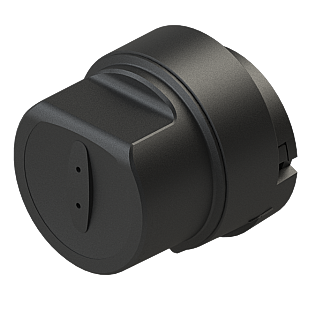

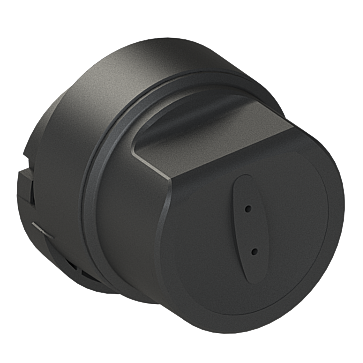



DESi Utopic RXe
Utopic RXeSmart Lock
Specially made for the escutcheon steel doors common in Türkiye. Install it in minutes without changing your cylinder or cutting your key.

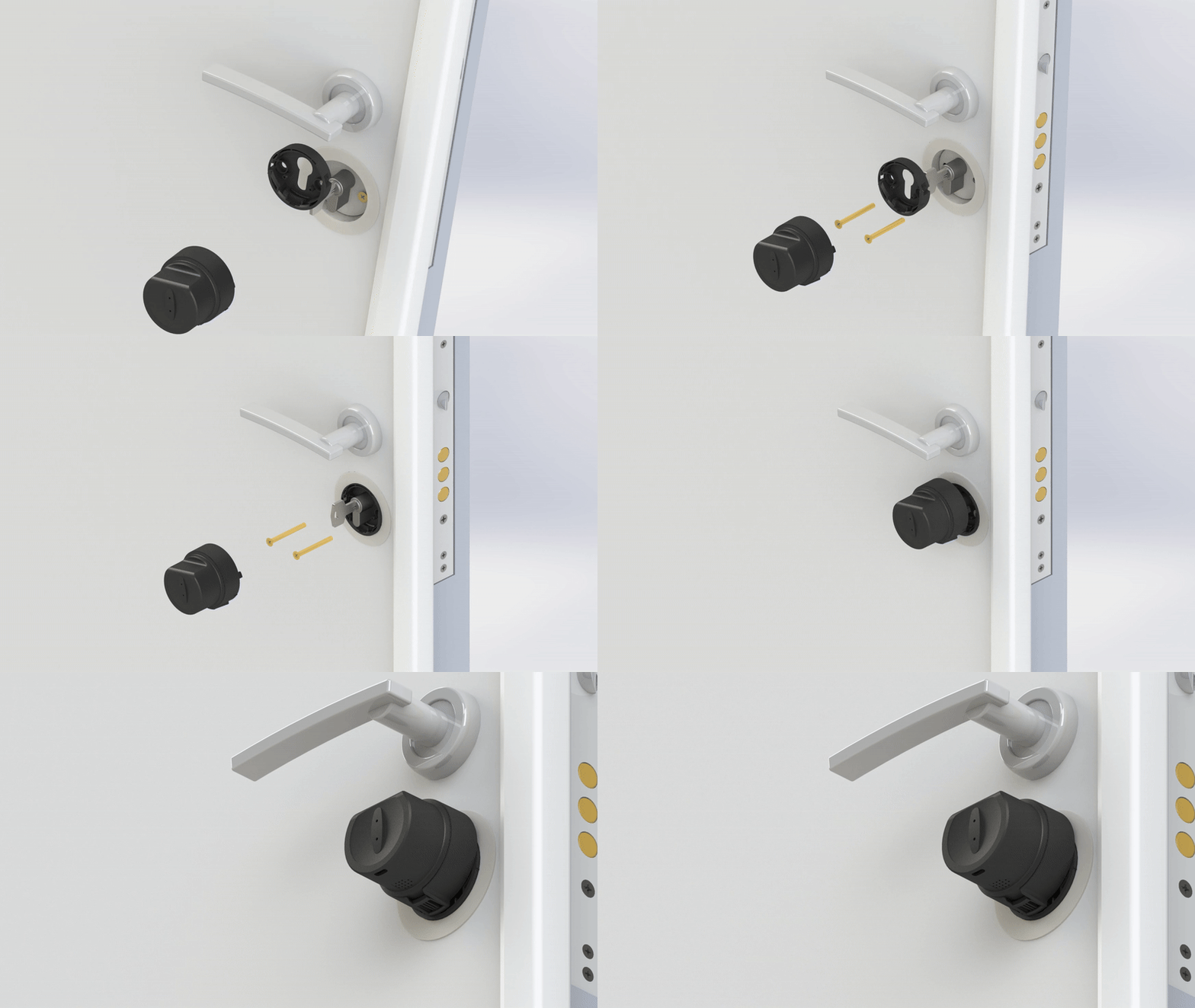


Nothing on the outside of your door.
From the outside, Utopic gives no sign that your door has a smart lock. Semi-smart locks that sit outside and are turned by hand are always exposed to attack: the electronics can be broken off to reach the cylinder. With the Utopic series the device is entirely inside, so it creates no security weakness.
A lock you turn by hand is not a smart lock. A smart lock, like Utopic, performs locking, unlocking and latch retraction with a motor, on your behalf.
- Electronics on the outside, within anyone's reach
- It is obvious from outside that you have a smart lock
- Always exposed to attack
- The electronics can be broken off to reach the cylinder
- No motor, turned by hand: not a real smart lock
- The device is fully inside the door
- No visible sign of a smart lock from outside
- No electronic part to tamper with from outside
- Creates no security weakness
- Fully motorised: locks, unlocks and retracts the latch by itself
What makes DESi different.
A smart lock is not an electronic gadget; it is a security system that directly affects your family's safety. That is why the real difference lies not in the device, but in the company behind it. DESi is one of Türkiye's largest smart lock manufacturers, built on 100% domestic capital and in-house engineering.
Proprietary, patented technology
Patented solutions from our own R&D, such as the virtual door handle and turn-count learning, have become benchmarks in the industry. Our designs are protected by design registration.
One of Türkiye's largest manufacturers
One of the largest manufacturers in its sector by production capacity and market share.
In-house R&D and software
Software, hardware and design are developed entirely in Türkiye by our own engineering team. Systems are continuously improved with software updates and security issues are addressed immediately.
Wide service network
One of the few companies able to provide on-site technical support across all 81 provinces of Türkiye.
Exporting to Europe
Used in more than 50 countries with CE certification and international security standards.
Spare parts guarantee
Spare parts and support are provided throughout the product's life cycle. DESi is your single point of contact.
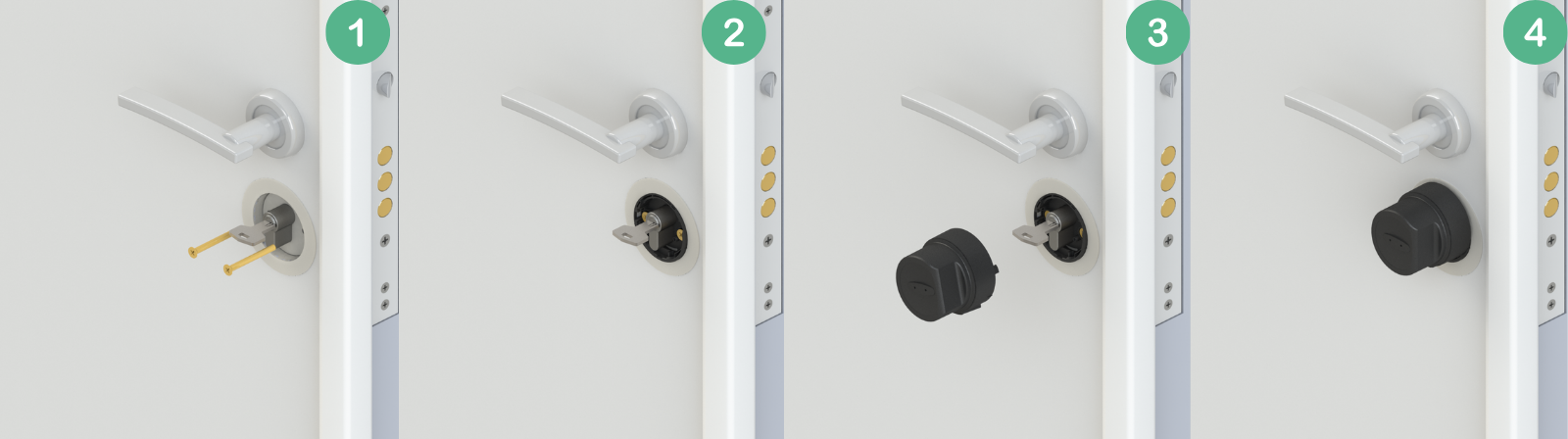
Very easy installation.
Utopic RXe mounts onto the escutcheon of your steel door in five simple steps, without changing your cylinder or cutting your key.
 1. Remove the existing escutcheon screws.
- 2. Install the RXe adapter.
- 3. Tighten the screws.
- 4. Align the RXe smart lock with the adapter and turn it to the right.
- 5. Close the security lock. Installation complete!
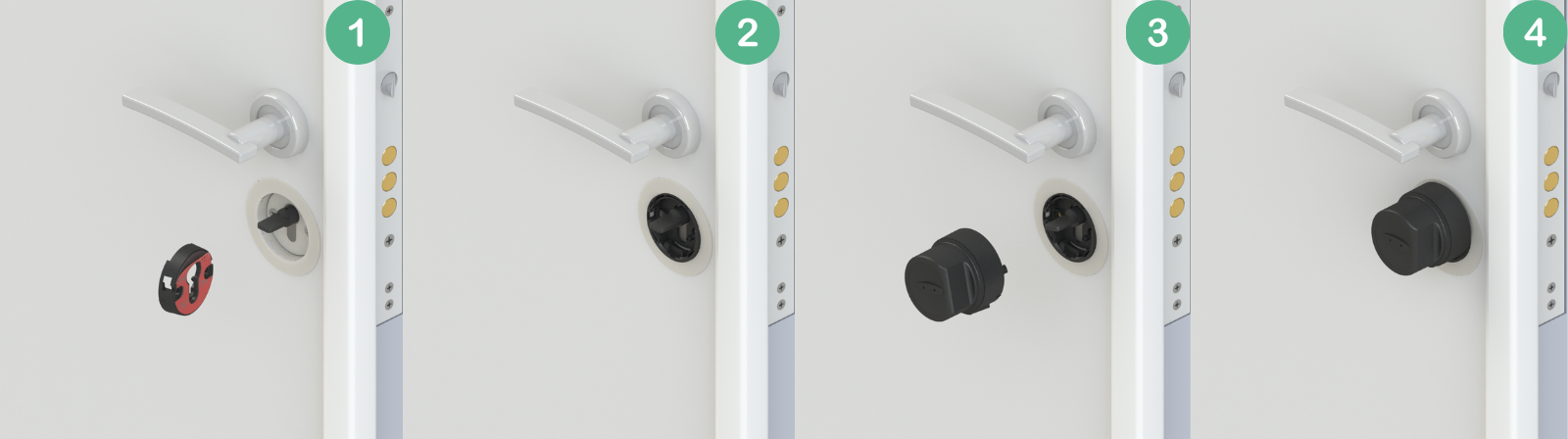
Adhesive mounting option.
You can also install it with adhesive. Clean the surface, peel off the double-sided tape on the RXe adapter and stick it inside the escutcheon. Then align the RXe smart lock with the adapter and turn it.
Installation can be done on the key or the handle spindle. For handles with a latch, remove the latch first and install the adapter from the box that matches your cylinder brand.
No drilling, no cutting!
Install it on escutcheon-equipped doors without changing your existing cylinder or cutting the key; almost all steel doors produced in Türkiye have escutcheons. No panic cylinder needed: thanks to the patented feature, you can enter from outside with your key even when a key is inside the cylinder. This patented feature is only in the Utopic RX series.

Will it fit my door?
If your cylinder sits completely within the escutcheon or is flush with its surface, Utopic RXe will fit seamlessly. If your cylinder protrudes from the escutcheon surface, choose the Utopic RX model.
Utopic RX and Utopic RXe have exactly the same electronics and software; only the installation method differs. RX mounts seamlessly on office, PVC and wooden doors. Steel doors common in Türkiye have escutcheons, and RXe is designed specifically for them.

Open with fingerprint or PIN.
Easily open or lock your door with your fingerprint or by entering a PIN.
Fingerprint reader not included; sold separately.

Easy control without a fingerprint reader or keypad.
Create single-use e-keys in the app and share them with visitors, so they can open your door with the DESi Smart app on their own phones.

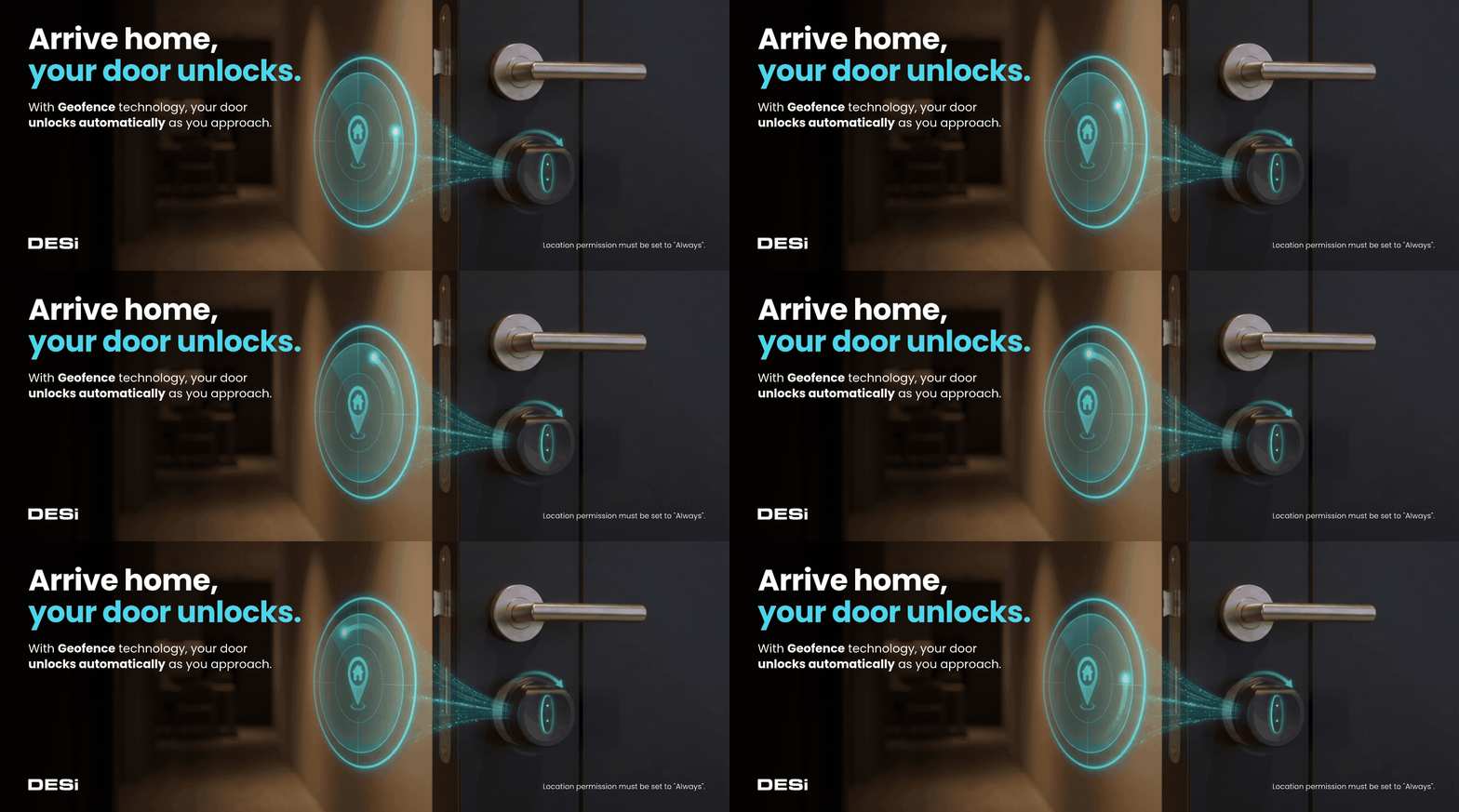
Your door unlocks as you arrive.
Thanks to Geofence technology, your door unlocks automatically as you approach home, without opening the app. Your phone starts communicating with the lock when it enters the geofence area and the door unlocks as you get closer.
Set the app's location permission to "Always". Because the feature uses GPS, unlocking may be delayed where the GPS signal is weak. Waking your phone's screen may improve response time.
90 dB built-in alarm system.
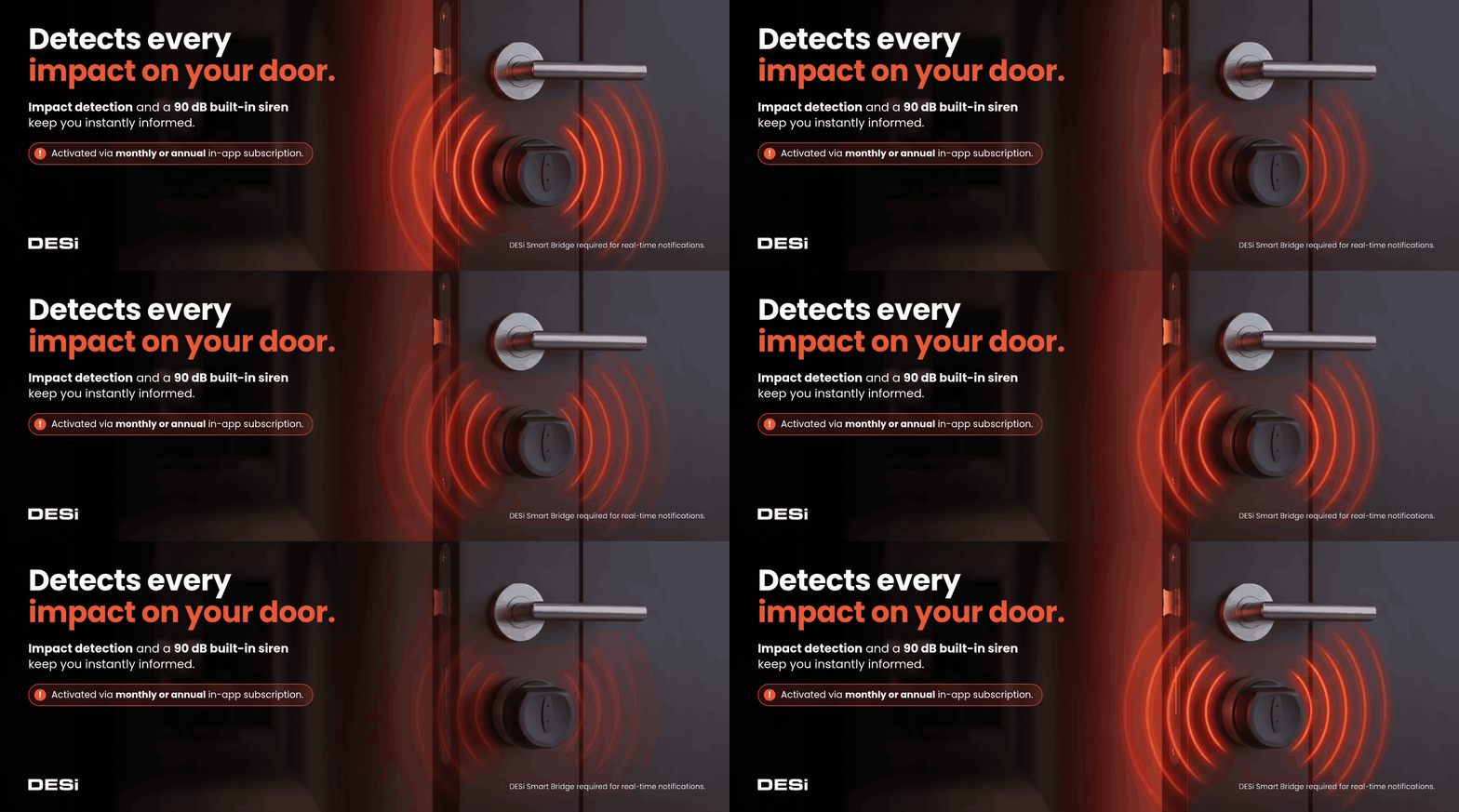
Utopic RXe adds an extra layer of security. Built-in impact detection instantly detects tampering attempts and sends real-time notifications to your phone (DESi Smart Bridge required). The 90 dB siren can also be triggered manually with the panic button or remotely via the DESi Smart Bridge.
*Available as an in-app purchase with a monthly or annual subscription.
The most capable in the series.
Utopic RXe learns your daily usage habits and reduces its connection speed when idle to save battery. If it is not used for a long time, it shuts down completely and enters standby. Different usage modes let you set your own energy consumption.

Track every activity instantly and in detail.
See the date, time and user for every lock, unlock and settings change.
A Smart Bridge is required to view reports remotely.

Up to 6 months of use.
The rechargeable lithium battery lasts up to 6 months per charge, depending on the connection mode (fast, adaptive, slow or energy saving). Charge it with the Type-C cable in the box.
Check battery status anytime in the DESi Smart app. If you forget to charge, you can always open your door with your key.
6 months applies to energy saving mode.

Open or lock with one move.
Built-in motion sensors detect a slight manual turn from inside and RXe completes the rest of the movement on its own. The touch button on the device also lets you lock with a single tap.

Hey Siri, open the door!
Give Siri a simple command and your door opens or locks immediately. With iOS and Android shortcuts, you get instant control without opening the app.

Smart and automatic locking.
Turn on auto-lock and choose a delay between 15 and 240 seconds; Utopic RXe locks automatically after the time you set. You can also schedule auto-lock, for example to lock your door every day at 22:00.
Manage your door from anywhere.
With the separately sold DESi Smart Bridge, control your Utopic RXe over the internet: lock and unlock, access all settings, view detailed entry and exit logs, and create or delete single-use or time-limited guest codes. Works with Google Home, Home Assistant, Hue and Amazon Alexa.
DESi Smart Bridge sold separately.

Create PINs or e-keys without internet.
Even when you are away from home, send guests, friends, employees or Airbnb customers links where they can create their own PINs.
- Single-use or valid for up to 60 days
- Specific date and time ranges for access
- If your guest installs the DESi Smart app, grant access through the app

Adjustable latch retraction times.
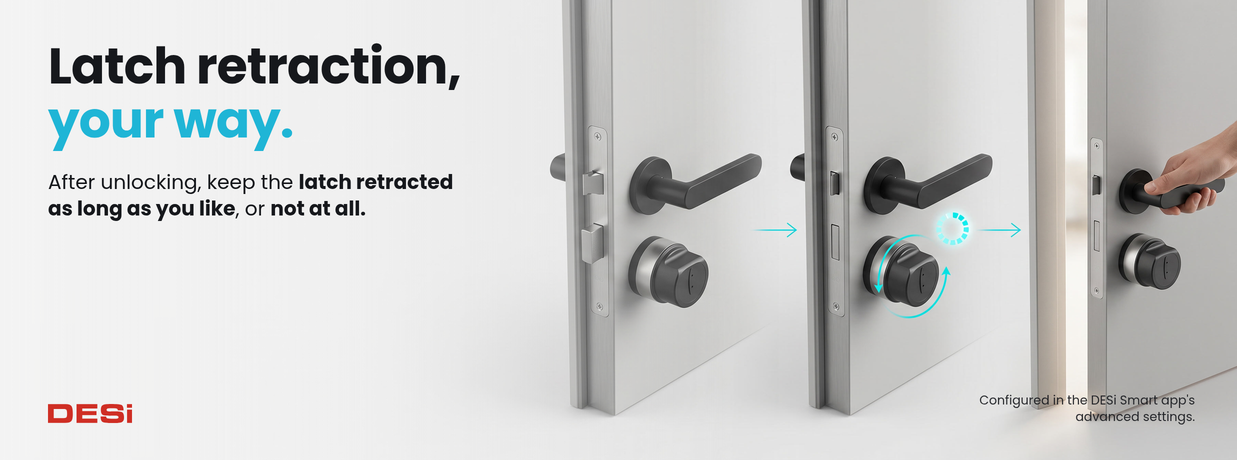
After unlocking, keep the latch retracted for the time you choose, or just unlock without retracting it. All latch settings are in the advanced menu.
Long-press the lock/unlock buttons in the app for quick access.
Silent locking and unlocking.
Long-press the lock or unlock icon in the app to operate the lock silently and slowly, without disturbing anyone at home or your neighbours.

Tap your door 3 times to wake it up.
After 3 days without use, the lock slows its connection scanning; after 7 days it shuts down completely. Tap your door 3–4 times and Utopic RXe is instantly active again, ready for phone connections, fingerprint entry and other features.
Available under "Connection Speed" in the app.

Utopic RXe specifications

Installation & Compatibility
- One-button door direction and lock turn setup
- Motor speed options for different doors and locks
- Mounting for escutcheon steel doors common in Türkiye
- Adhesive tape mounting option (no screws)
- Adapters for Kale, Mul-T-Lock and some local brands

User Management
- Share with up to 37 users
- Time-limited access per user
- Single-use codes without internet
- Activity log with date, time and user
- Instant permission removal

Locking Features
- Auto-lock (15–240 seconds, adjustable)
- Delayed locking for safe exit
- Adjustable latch retraction times
- Unlock without retracting the latch
- Silent and slow lock/unlock mode

Connectivity & Integrations
- DESi Smart app control from your phone
- Smart Bridge for remote access (sold separately)
- Google Home, Home Assistant and Amazon Alexa
- Siri and iOS/Android shortcuts
- Geofence auto-unlock (iPhone)

Battery & Charging
- Up to 6 months in energy saving mode
- Type-C charging (fast chargers not supported)
- Real-time battery status in the app
- Low battery alerts via Smart Bridge
- Open with your key even if the battery dies

Security & Other
- Patented design: key always usable from outside
- 90 dB built-in alarm (in-app purchase)
- Total lock usage count
- Firmware updates via the app
- Semi-auto mode with built-in motion sensor
Package contents


Frequently asked questions
Everything you need to know about installing and using Utopic RXe.
Can I still open the door with a key after installing the smart lock?
Yes. You can use your key anytime or in an emergency. Keep a key in your wallet or bag as a backup.
Will my door be damaged during installation?
No. Utopic RXe mounts with screws or adhesive; no extra holes are drilled in your door.
Can the smart lock lock and unlock automatically?
Yes. Utopic RXe performs full-turn locking and unlocking automatically. Just send a command from the app, a fingerprint reader or remotely.
Is it compatible with my multi-turn lock?
Yes. During setup the lock learns how many turns are needed to fully lock or unlock your door and saves it in memory.
Does it matter if my door opens left or right?
No. During installation the setup wizard detects the door direction and sets the locking direction accordingly.
How can I get additional keys?
Utopic RXe does not come with a cylinder or keys. You can duplicate your existing key at any locksmith.
Will it fit my door?
If your cylinder sits completely within the escutcheon or is flush with its surface, Utopic RXee will fit. If your cylinder protrudes, choose the Utopic RXe model.
What is the difference between RX and RXe?
They have exactly the same electronics and software; only the installation method differs. RXe is designed for escutcheon steel doors, RX for office, PVC and wooden doors.
Can I use my old cylinder?
Yes. Even without a panic cylinder, the patented design lets you open your door from outside with your key, even when a key is inside.
Can I install it myself?
Yes. Watch the step-by-step installation videos on our YouTube channel. If your door sags or rubs, fix that first.
Does it work with multi-point locking doors?
Yes. Utopic RXe is compatible with central multi-point locking systems and has enough torque to operate all locking points.
Does the smart lock retract the door latch?
Yes. Utopic RXe can fully retract the latch when unlocking, so the door opens completely.
Can I control the lock remotely?
Yes. With the DESi Smart Bridge (sold separately) you can lock or unlock your door from anywhere over the internet.
Can I share access with multiple users?
Yes. Share access with up to 37 users in the app and manage each user's permissions individually.
What if my phone or the lock battery dies?
You can always open your door with your physical key, regardless of battery status.
How often should I charge it?
It depends on your connection speed setting; up to 6 months in energy saving mode. You can check the battery level in the DESi Smart app.
Can I see who opened the lock?
Yes. Every operation is logged in the lock. With the Smart Bridge you can follow activity in real time.
Can it be used in extreme temperatures?
Utopic series locks are designed to operate across a wide temperature range.
Is Utopic RXe water or moisture resistant?
Smart locks are designed for indoor use. Avoid exposure to moisture or direct water.
Can I move the lock to a different door?
Yes. The lock can be moved, but it may need to be set up again for the new door.
Is it suitable for offices and businesses?
Yes. Utopic RXe is ideal for offices and provides secure, flexible access management.
Can I give access to specific people only?
Yes. Set individual permissions per user, including date and time restrictions.
Are smart locks vulnerable to hacking?
Utopic smart locks use AES-256-GCM encryption and current security standards to protect your access.
Can I give guests temporary access?
Yes. Create time-limited access codes for guests and revoke them at any time.
How long does installation take?
Typically 1–5 minutes. The lock comes with an easy-to-follow guide and all necessary accessories.
Will the lock re-lock the door automatically?
Yes. Turn on the auto-lock timer (15–240 seconds) and the lock secures the door after each opening.
Does it need a constant internet connection?
No. The lock works with the mobile app at close range without internet. The Smart Bridge is required only for remote access.
How does digital key sharing work?
Share digital keys in the app for a set period or permanently. All sharing is securely encrypted.
| DESi Wireless Touch Keypad V3 - BL Utopic RX / RXe Compatible | 1 |
| DESi Wireless Remote Controller V2BL Utopic RX / RXe | 1 |
| DESi WiFi Bridge Hub Utopic RX/R/ROK/3 Series Compatible (Google Home, Home Assistant & Alexa) | 1 |
| DESi Fingerprint Reader and Wireless Touch Keypad V3 - BL Utopic RX/RXe Compatible | 1 |
| DESi Face Recognition and Touch Keypad Utopic RX/RXe Compatible | 1 |